




 Ads cockpit for Claude
Manage your adsfrom Claude
- The ads cockpit, creative views and launch proposals open inside the conversation.
- Reports on Meta, Google, TikTok and 13 more platforms, with creative reviews on 8 and changes on 13.
- Added once in Claude’s settings, with one URL and a sign-in.
Free with 1 ad account, no card. Pro is free for 7 days. Updated October 2026. For the terminal, see Claude Code.
Ads cockpit inside Claude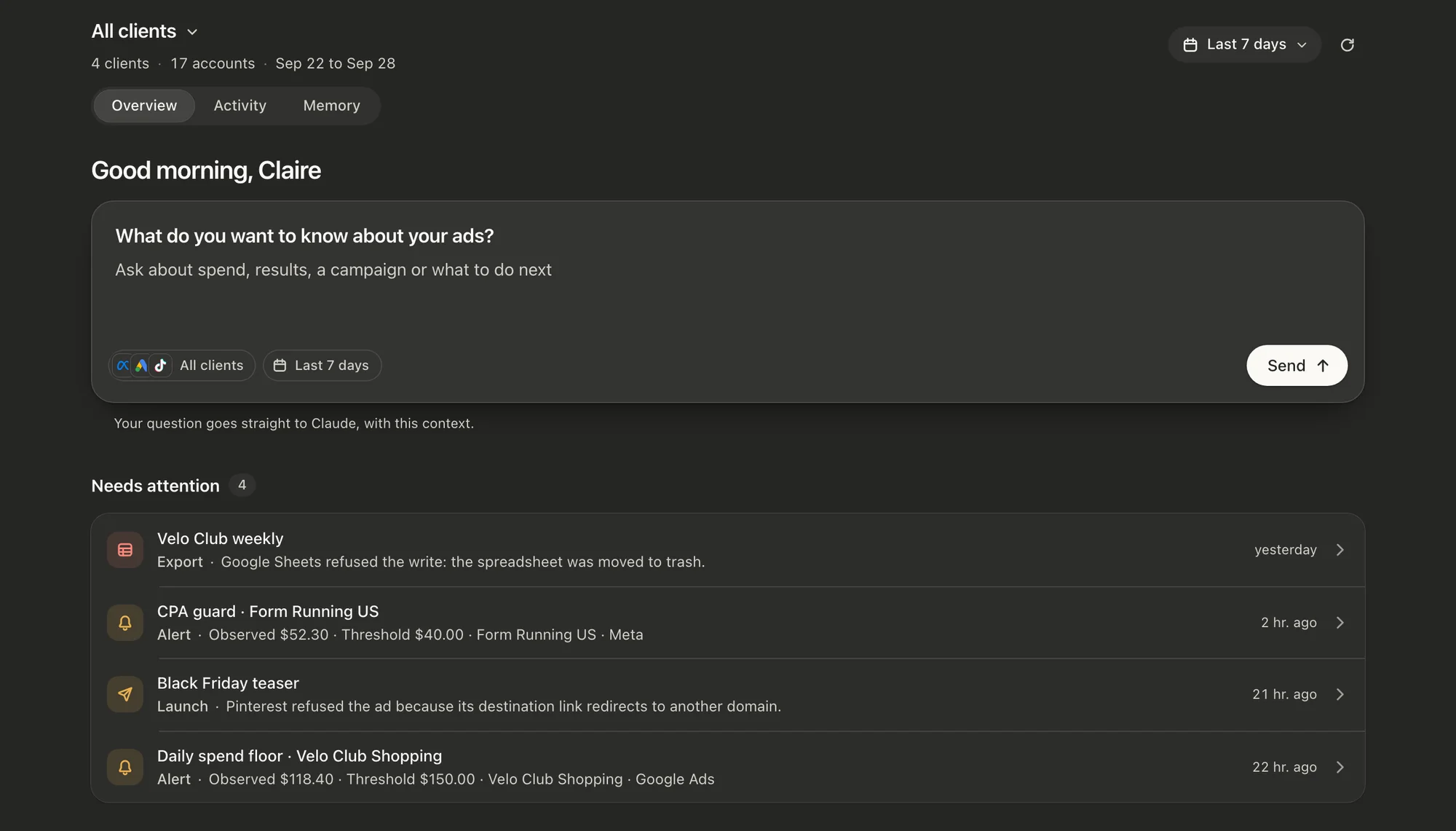
Set up in Claude
Claude adds remote MCP servers as custom connectors, so there is nothing to install. Paste one URL, sign in once, and your ad accounts become tools Claude can call.
1Connect
Add a custom connector
Settings, then Connectors, then Add custom connector
- Paste the URL into the connector dialog and save.
- Claude opens a browser tab to authorise Get MCP Ads.
- Approve once. The connection stays until you revoke it.
Claude asks for approval the first time it calls a tool, and again for anything that writes. That prompt is Claude's own, on top of the preview this gateway already returns.
2Ask
Ask about your ads
Claude calls Get MCP Ads when a request needs your accounts, and opens a view when there is one to show.
Also try
- Launch the 12 videos in this Drive folder into the US prospecting ad set, paused.
- Which ad sets spent over $200 this week without a purchase?
- Compare Google Ads conversions with GA4 purchases for October, by campaign.
Before the first answer, connect an ad platform in the dashboard and tick the accounts Claude may read.Open Sources
One connector for the major ad platforms
Connect each platform once, with its own sign-in or API key. Claude sees only the accounts you tick.




Requests and the views they open
Each request below opens its view inside Claude, with figures read from your own ad accounts.
Show every Meta creative from last week in one grid.

Review Form Running’s acquisition for last week, across every source.

Send daily Meta spend, impressions and clicks to a Google Sheet, refreshed every hour.

Launch the 3 new Fall creatives from my Drive folder on Meta and TikTok. Keep everything paused.
Claude and Claude Code
Both connect to the same URL and the same ad accounts. The views open in Claude, the chat assistant.
| ClaudeThis page |  Claude Code Claude Code | |
|---|---|---|
| Where you add it | Settings, then Connectors, then Add custom connector | claude mcp add in the terminal |
| Sign-in | A sign-in page in the browser, no API key | /mcp opens the same sign-in in the browser |
| Views in the conversation | The cockpit, the creative gallery, reviews, launch proposals and Sheets exports | None. Answers come back as text and tables |
| Reports and changes | Every platform you connected, each change previewed first | The same, or one platform per project with its own URL |
Security and pricing
Access
Claude signs in through OAuth, so no API key or password goes into the chat. It reaches only the ad accounts you tick, and you can remove the connector in Claude’s settings at any time.
Changes
Every change shows a preview first, and Claude asks before anything that writes. New campaigns, ad sets and ads are created paused, or as drafts on LinkedIn Ads.
Pricing
The connector has no separate charge. Every plan includes every assistant and every platform: Free on 1 ad account, Pro from $39 a month after a 7-day trial for $0.
Compare plans
Questions
- Open Settings, then Connectors, and choose Add custom connector. Paste https://mcp.getmcpads.com/mcp, confirm, and approve the sign-in page. Then connect an ad platform in the dashboard and tick the accounts Claude may read.
- The ads cockpit, the creative gallery and comparison, the acquisition review, campaign launch proposals and Google Sheets export cards. Claude shows them inside the conversation, next to its answer.
- No. Claude is the chat assistant. Claude Code works in the terminal, connects with one claude mcp add command and answers in text, without the views.
- No. Every change shows a preview first, Claude asks for approval before anything that writes, and new campaigns are created paused.
- Only the ones you tick in the dashboard. An account that is not ticked is refused on the next call, from any assistant.
- An empty list means the platform is connected but no account is ticked yet. Open Sources in the dashboard, tick the accounts, then ask Claude to list them again.
- Yes. Google Sheets exports refresh on their schedule and alerts are checked every hour on our side, after the conversation ends.
- Free costs nothing on 1 ad account, with no card. Pro is $39 and Team $99 a month, after a 7-day trial for $0. Every plan includes every platform and every assistant.
Related: Claude Code, ChatGPT, All assistants, Quickstart. Updated October 2026.